
What happens in the workshop.
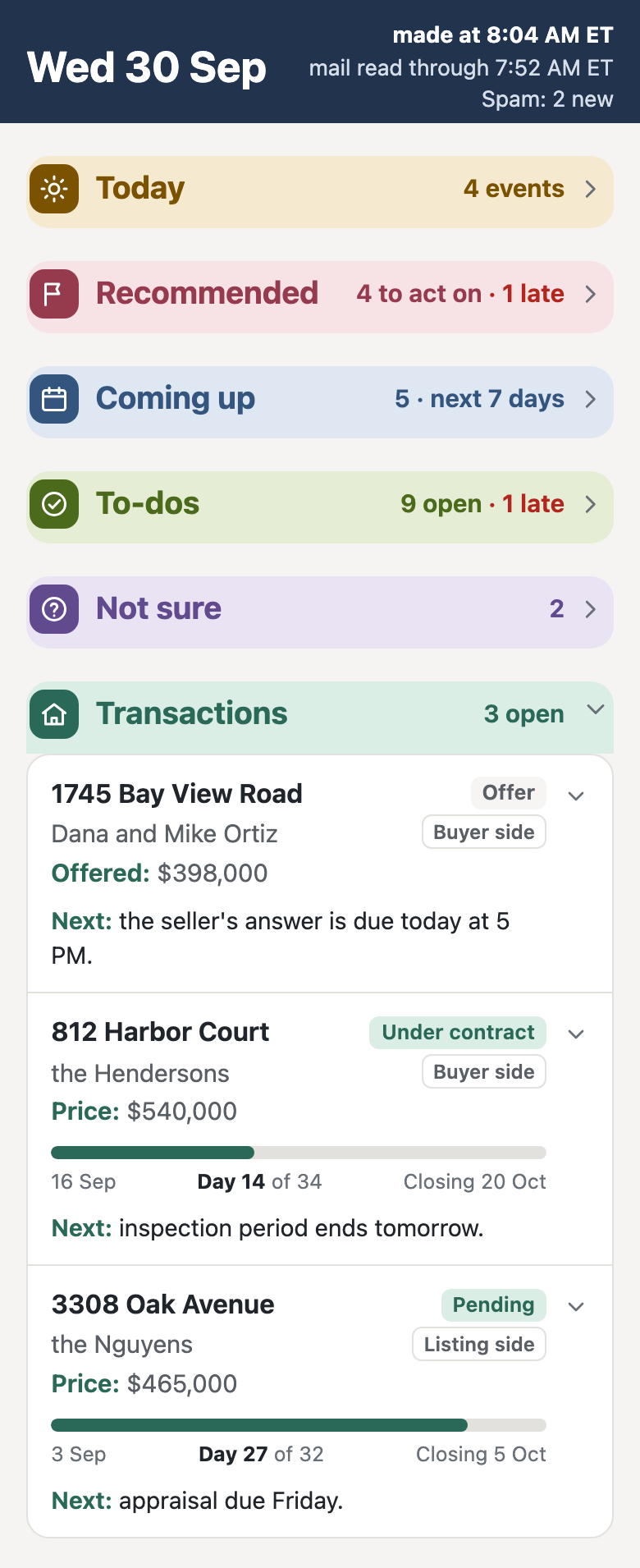
You set up your own AI agent in your Claude account, step by step, while I walk you through it on screen. You connect it to your email, calendar and records, set it up to keep notes on your clients and deals, and make your first morning brief. The aim: everyone leaves with it set up and working.
What the set-up is, piece by piece: The AI Setup Workshop page
What you need.
- A paid claude.ai plan, Pro or Max.Upgrade before the day.
- A computer with Chrome or Safari, and Zoom.
- Your phone with the Claude app, signed in to the same Claude account.
- A Google account you use for your email and calendar.A Google account run by your brokerage can block the connections.
- A Notion account if you have one.If not, you make one, free, during the workshop.
Sign up.
There’s a session every Friday. Pick one of the next two when you sign up.
- Free: the workshop, your set-up and your first month
- About two and a half to three hours
- The aim: everyone leaves with it set up and working.
The AI Setup Workshop, online